

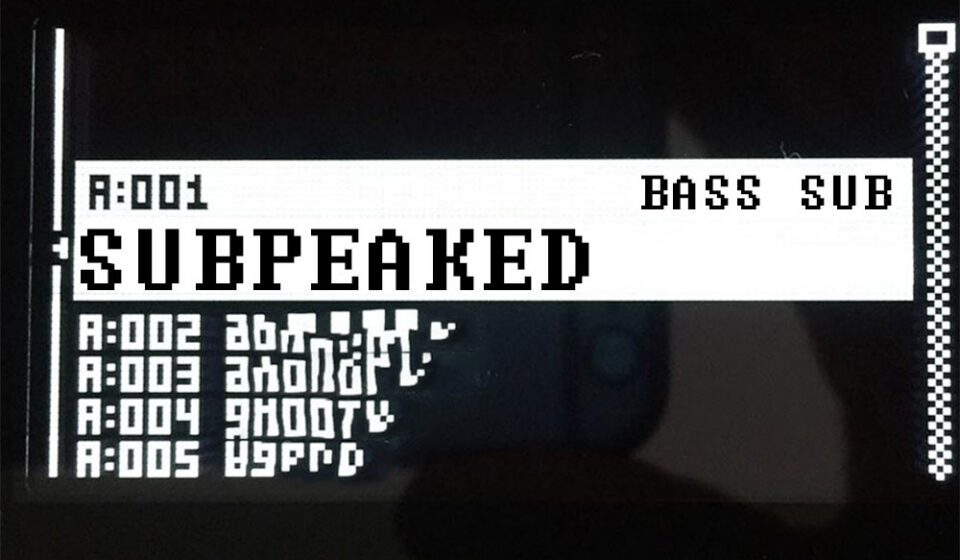

Feedback Sub BASS
1/ Normally you should have your Unison activated in Poly Config and Voice 1 and 2 checked ! if you don’t know how to do that check the Analog Four Manual.
We start by OSC2 because we want to use OSC1 for its Feedback feature.
Oscillator 2 settings

2/ pay attention here we set a filtered triangle to get close to a sine wave that is one octave lower.
Set TUN = -12 and we boost it at max level to recover from the dB loss from the filtering process.
Oscillator 1 settings
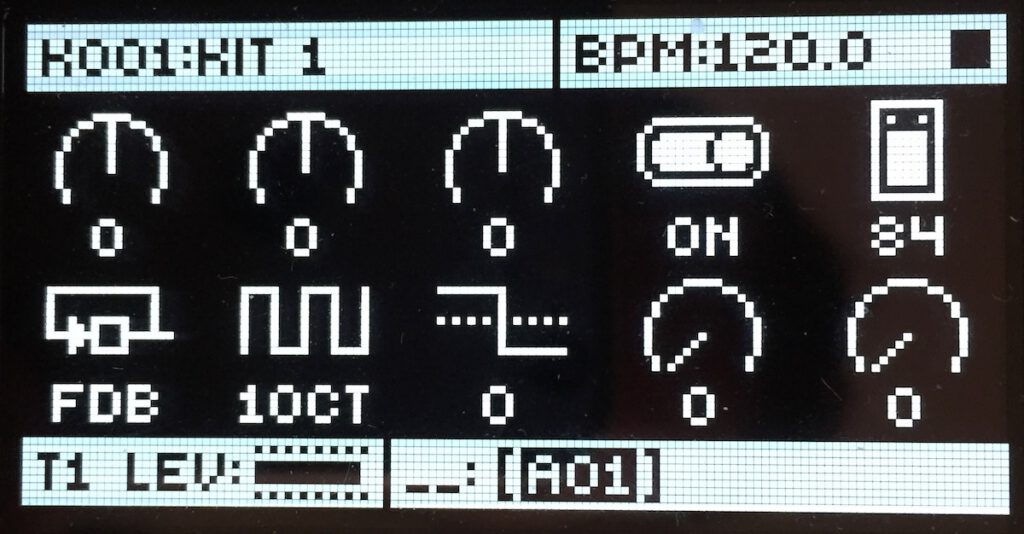
3/ Activate the Feedback first in the Waveform selection and crank up the volume until you find the sound that is interesting. Add gain as you see fit but work in increments. This is analog gear and working with incremental gain leads you to the “sweet spot” of that setting. I myself set the Level = 84, then we mix a 1OCT SUB OSC with everything to get a more interesting timbre. (Remember: The Sub OSC is always 1OCT lower and we keep it at TUN = 0 to match the OSC2 TUN at -12)
Oscillator 2 option page

4/ Now you will learn a new thing here. Accept the OSC Retrig setting you already see in a previous patch recipe. We introduce this in the sub information and add a dynamic attack. This is to give the sound a little boom at the beginning so we need to set the BND and SLI to respectively +25 and 27. I will give advice on your options here. If i want to play this sub bass sustained and I want some movement inside then I need a simple vibrato added. I don’t want it to start when I hit the note but later in the sustained step of the notes. For this we set the Fade (Fade IN here for instance it will delay to a bit later the moment we start to hear the vibrato, value is -44) And we set the SPD (Speed) to 35 and the VIB (Vibrato) to 46
Note: If the desired effect is to achieve by using this simple control then use it. You should think of sound design decisions as simple choices you can stand by and not hesitate to make. If you can’t find a matching effect with what you hear then you have one more option. You will have to reproduce that effect by using a pitch envelope modulation to mimic the Bend and an LFO eventually on volume depending of the vibrato effect you looking for in order to have more control of it. If you can get what you after with this simple control I recommend to use it regularly so it becomes second nature when making patches. A lot of success in synthesizer programming is knowing which simple tools you can use in order to get the desired sound you want. You can take this knowledge and use it in a software synthesizer or a different hardware synthesizer and hear similar results. You can also use this concept to get a rough idea on the general shape of your sound and then fine tune these effects in the sound later.
Filters settings
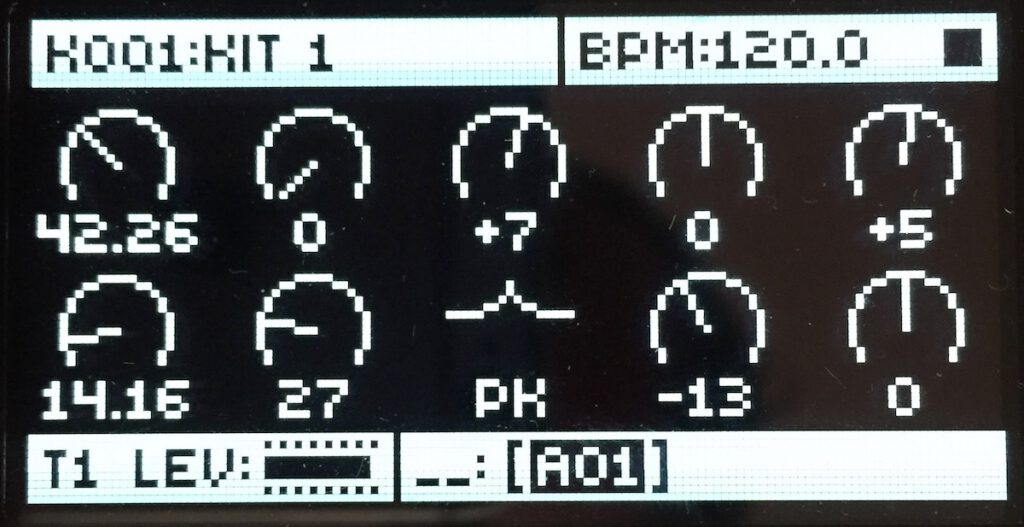
5/ Time to sculpt the sound and that’s why I called it “SubPeaked” : this time we will use a Peak Mode on the Filter 2. Firstly set the Ladder Filter (F1) to get a more sub bass sound value I will set it to 42.26 . I would like to bring some texture again so we need to add a little bit of Overdrive so +7 on the A4 MKII and -7 on the A4 MKI … And also not much but a little bit of opening frequency wise on the attack of the sound F1 DEP = +5
Now a bit of EQ shaping FRQ = 14.16
RES = 27 and a little bit of negative filter tracking = -13. These settings are for how the filter acts for the range of the keyboard (Check your manual for key tracking of the filter)
AMP Envelope
Here we set a sustain sort of AMP Envelope and we use a Drum Shape the model T1
Filter Envelope
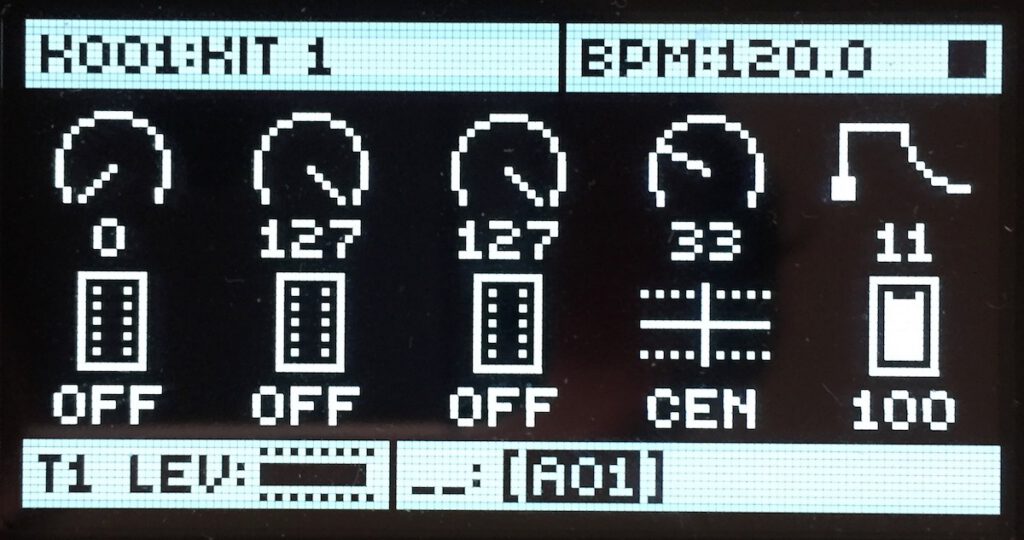
Here we can control how the filter reacts so we make it close the sound coming in a bit faster with the decay value to 36… and we change it’s shape to the Wave Model 3

What we can do from here?
- You can play this sub bass like a percussion instrument. You play it sustained and sometimes let the Vibrato create some interesting variations.
- We probably at some point will discuss the Elektron sequencer (probably in the REESE exercise) because it’s the typical stuff you should try to extend the interest of your Sub or BASS line (If it’s the intended effect you are after.) P-Locking rate of the LFO but in a rhythmical way is the key idea in getting that sound (The way you should use the Step or Performer in Massive VST would be an example of that same behavior)

